AppDrop lets you upload, validate and install custom Nextcloud app packages (.zip) directly from the web UI with drag & drop, pre-install health checks and automatic backups.
A complete toolkit for uploading, validating, installing, and managing custom Nextcloud apps — all from your browser.
Upload one or multiple .zip app packages with drag & drop or the file picker. Queued files are processed sequentially for safe installation.
20+ health checks analyze every zip before installing: structure, security (Zip Slip), version compatibility — with actionable fix hints for every issue found.
When updating an existing app, a timestamped backup is created automatically. Restore previous versions or delete old backups from the UI.
List all installed custom apps with their version and status. Enable, disable or remove them with a single click — no command line needed.
Generate a ready-to-develop Nextcloud app template with proper structure, boilerplate code, routes, controller, and placeholder icon — download as .zip.
Complete log of all uploads with status, timestamps, version info and which user performed the action. Paginated view for easy browsing.
Admins control who can upload apps. Grant access to individual users or entire groups with an autocomplete search interface.
Fully styled with Nextcloud CSS variables for seamless integration with both dark and light themes. Responsive on mobile and desktop.
Explore each section of AppDrop's interface.
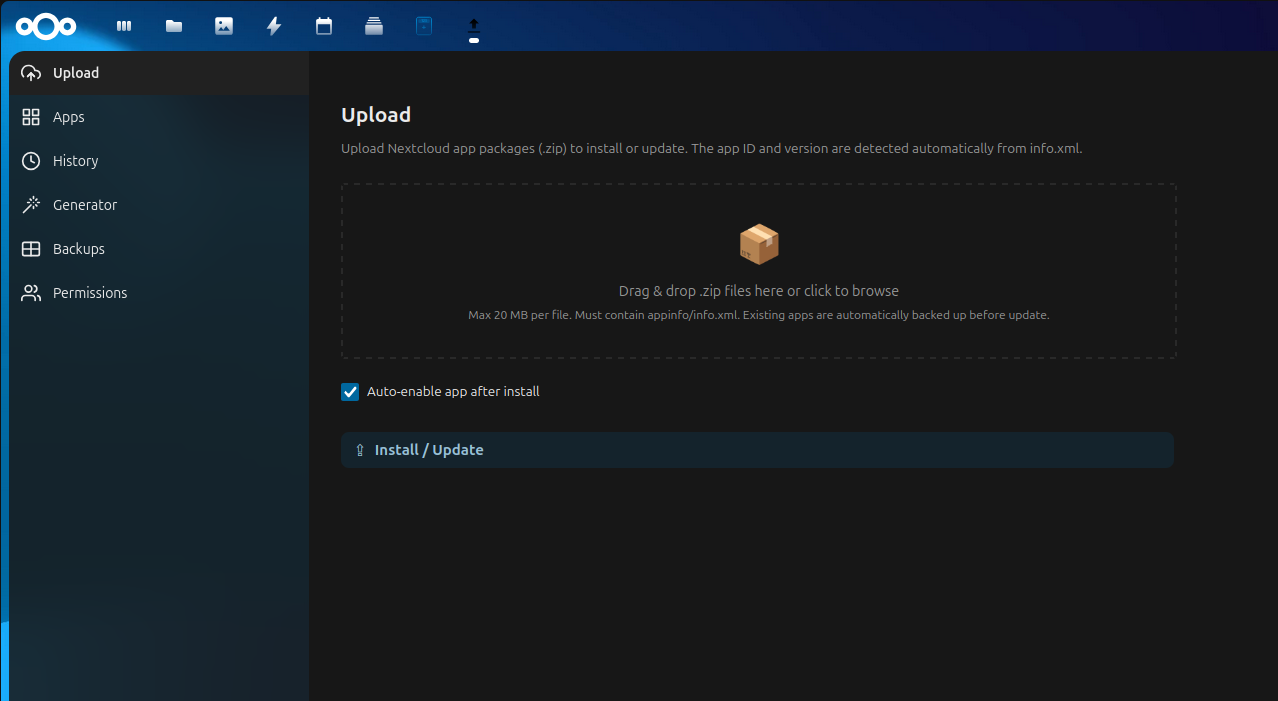
Drag & drop upload zone — drop .zip files to start validation
A streamlined installation flow that keeps your Nextcloud safe.
Drag your .zip app package onto the upload zone or click to browse. Multiple files can be queued.
An automatic health check runs 20+ validations: zip integrity, security scanning, version compatibility, structure analysis — showing a detailed checklist with fix hints.
If the app already exists, a timestamped backup is created automatically before the update proceeds.
The zip is safely extracted to the apps directory. File permissions are set correctly (750 for dirs, 640 for files).
The app is automatically enabled (if configured) and appears in your Nextcloud instance. The upload is recorded in the history log.
Every upload goes through multiple layers of validation before anything touches your server.
Zip Slip protection — rejects path traversal and absolute paths
MIME type validation — only accepts valid zip archives
Configurable file size limits to prevent abuse
Self-update prevention — cannot overwrite AppDrop itself
Permission-based access control — only authorized users can upload
CSRF protection via Nextcloud request tokens
App ID format validation — prevents injection via malformed names
Safe XML parsing with error handling for info.xml
Each section has its own access level to keep your instance secure.
| Section | Who can access | What it does |
|---|---|---|
| Upload | Permitted users | Install or update custom apps from .zip packages |
| Apps | Admins only | Enable, disable or remove installed custom apps |
| History | Permitted users | View past uploads with status |
| Generator | Permitted users | Download a Nextcloud app skeleton template |
| Backups | Admins only | Restore or delete backups from previous updates |
| Permissions | Admins only | Grant or revoke upload access to users and groups |
No extra dependencies — just Nextcloud and PHP.
Compatible with the latest stable releases
Uses modern PHP features for security and performance
Free and open source, forever
Two ways to install AppDrop on your Nextcloud instance.
php occ app:enable appdrop
Install AppDrop and start uploading custom Nextcloud apps from your browser today.